
Convert your MP3 to WAV Format
Easy Steps to Convert MP3 to WAV: A Comprehensive Guide
To get the best quality on your voicemail, auto attendant, and hold music recordings we recommend converting them to WAV format with 8000 Hz and 8 bit mono. Click the button below to convert your MP3 online.
Convert MP3 to WAV (opens in a new tab)
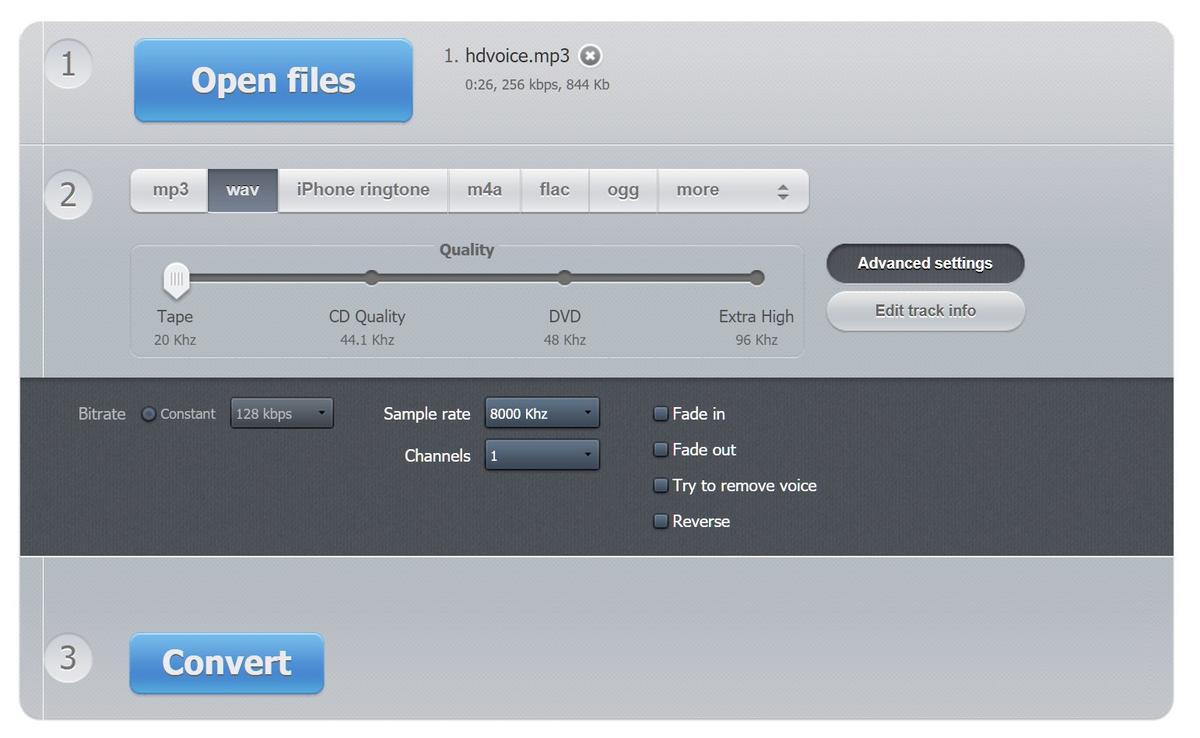
NOTE: See the screenshot above for recommended settings of file type WAV, Sample rate 8000 Khz and Channels 1. Please note VoIPLy supports maximum file size of 10mb per recording.
Did this answer your question?
Glad it helped.