
Residential - How to Update Your Payment Method
Update payment method
On this page
You can pay for your Voiply service with a card or a US bank account. You can change how you pay any time in your account portal. It only takes a minute.
Watch: how to change how you pay (1 minute)
How to change how you pay
- Go to voiply.com/portal/billing. If you are not signed in, sign in first. Your portal opens on the Billing page. Need help signing in? See How to Log In to Your Voiply Portal.
- Find the How you pay box. It shows the card or bank account you pay with now. Click Change.
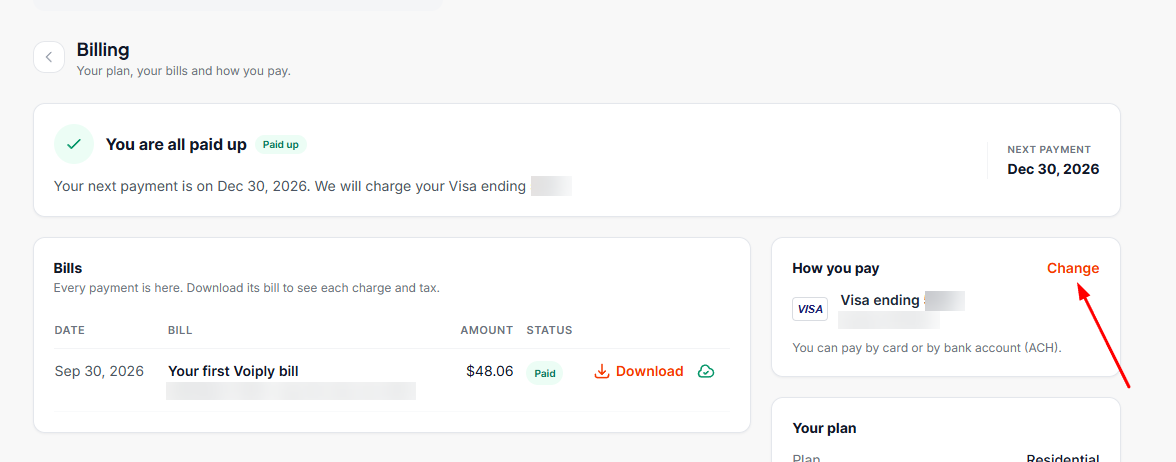
- Choose Card or US bank account, then follow the steps below for the one you picked.
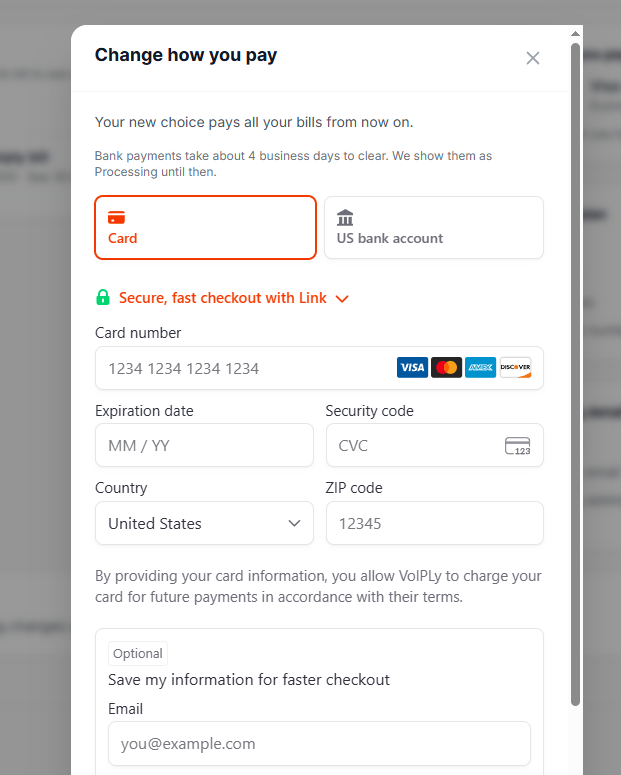
To pay by card
- Enter your card number, expiration date and security code.
- Check your country and enter your ZIP code.
- Click Save.
You may see an optional box to save your information for faster checkout with Link. You can skip it.
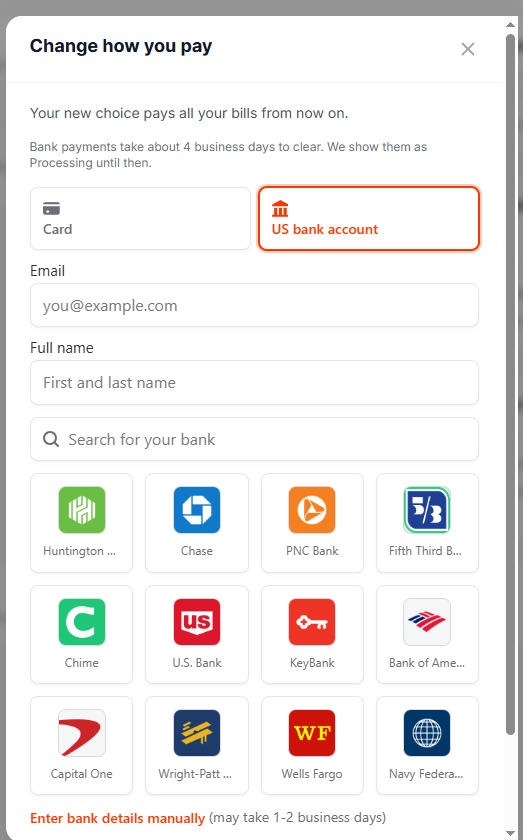
To pay by US bank account
- Enter your email and your full name.
- Pick your bank from the list, or search for it. Then sign in to your bank to connect it.
- Click Save.
Can't find your bank? Click Enter bank details manually and type in your account details. This way may take 1 to 2 business days.
Good to know
- Your new choice pays all your bills from now on.
- Bank payments take about 4 business days to clear. Your bill shows Processing until then.
- Make your change at least 24 hours before your next payment. Your next payment date is at the top of the Billing page.
Questions?
We are happy to help. Call us at (844) 843-4175, 24 hours a day, 7 days a week, or email billing@voiply.com
Did this answer your question?
Glad it helped.