
Complete Your Voiply Account Verification (Stripe)
At Voiply, we’re committed to keeping your account secure and compliant with regulations. We use Stripe’s trusted identity verification process. Don’t worry—it’s quick and straightforward! Follow the steps below to verify your identity.
Some orders need a quick identity check before we set up your service
To protect your account and keep our service safe, some orders are selected for identity verification during our payment security review. If your order is selected, we'll send you a link to complete this step. It only takes a few minutes, and you only need to do it once.
We work with Stripe, a trusted payment company, to handle verification securely.
Why was my order selected?
Our payment security review looks at every order. Some orders are picked for an extra identity check. Being selected doesn't mean anything is wrong with your order or your payment. It simply helps us confirm the account belongs to the right person and protects you from fraud.
How will I get the verification link?
We'll send the link to the email address on your account. The email subject will be "Action Required: Verify Your Identity to Secure Your Account," and the link will start with https://verify.stripe.com (opens in a new tab).
If we have your mobile number, we'll also send you a text reminding you to check your email. The text will never include a link.
If you get a text with a link that says it's from Voiply, don't click it. Call our support team first.
What you'll need
Have one of these ready:
- Driver's license
- Passport
- Other government-issued photo ID
You'll also need a phone or computer with a working camera. Find a well-lit spot so your photos come out clear.
Note on verification steps
The steps may be a little different depending on your plan. This guide covers the Park, Starter, and Advanced plans. For Residential customers, we'll also check your service address against your ID. For Premier customers, we'll also confirm the last four digits of your Social Security number.
Step-by-Step Instructions
- Visit the Verification Link
- Open the email we sent you and click the verification link. If you don't see it, check your spam or junk folder.
- Agree to the Terms
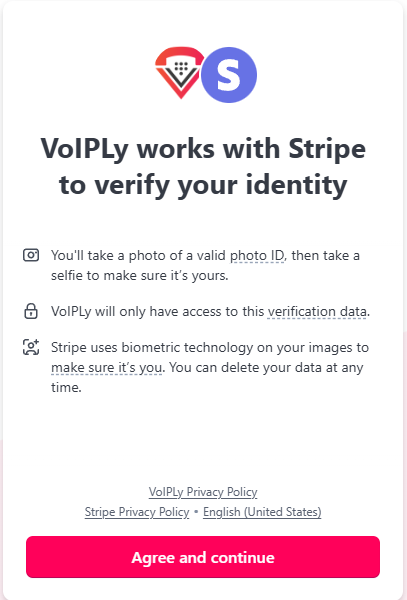
- You’ll see a screen explaining that Voiply works with Stripe to verify your identity. It will note that you’ll need to take a photo of a valid photo ID and a selfie, and that Stripe uses biometric technology for verification. Voiply will only have access to the verification data, and you can delete your data anytime.
- Review the Voiply Privacy Policy (opens in a new tab) and Stripe Privacy Policy (opens in a new tab) linked on the screen.
- Click Agree and continue to proceed.
- Enter Your Email Address
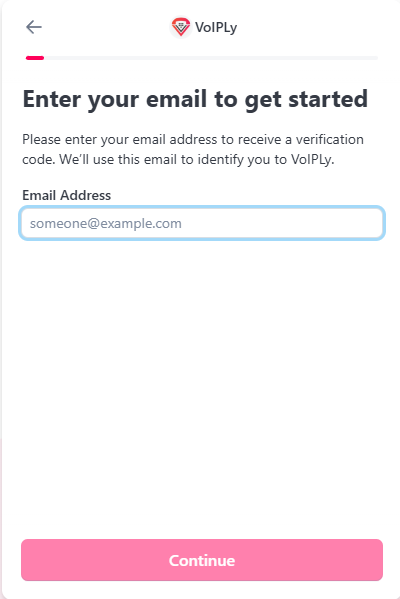
- On the “Enter your email to get started” screen, type your email address into the provided field (e.g., someone@example.com).
- Click Continue to receive a verification code via email.
- Verify Your Email
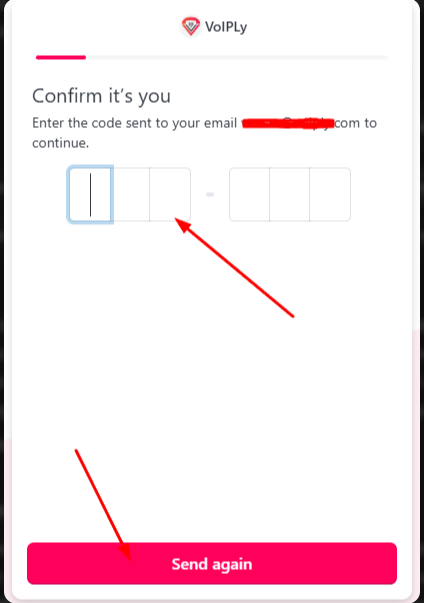
- Check your inbox for an email from Voiply with a verification code.
- On the “Verify your email” screen, enter the code into the provided field.
- If you didn’t receive the code, click Send again to request a new one.
- Enter Your Phone Number
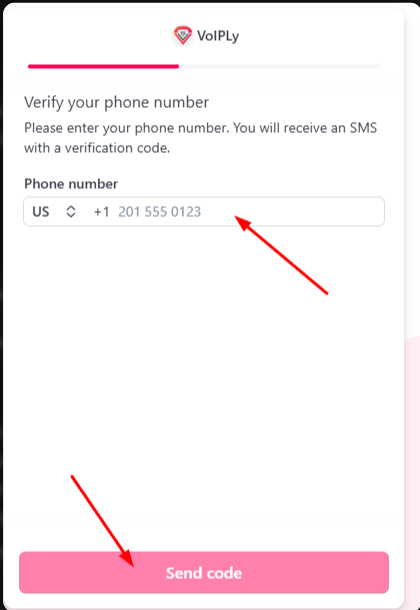
- On the “Verify your phone number” screen, select your country code (e.g., US +1) and enter your phone number.
- Click Send code to receive an SMS with a verification code.
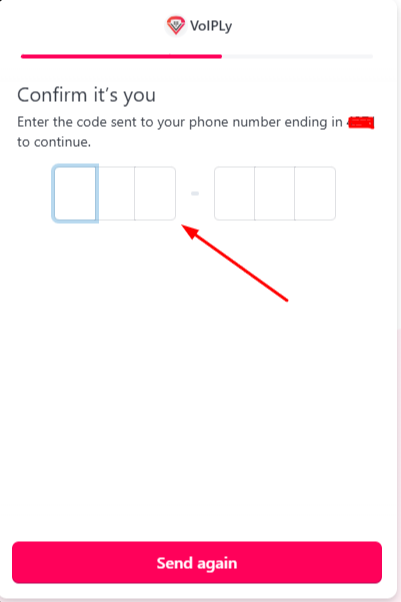
- Confirm Your Phone Number
- Check your phone for an SMS from Voiply with a verification code.
- On the “Confirm it’s you” screen, enter the code into the provided field.
- If you didn’t receive the code, click Send again to request a new one.
- Confirm Your Phone Number
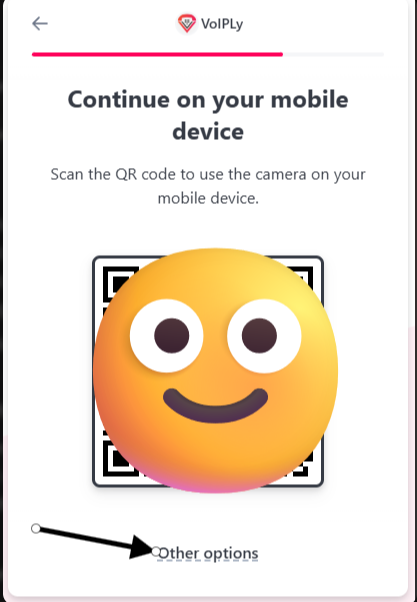
- Scan the QR Code
- On the “Continue on your mobile device” screen, you’ll see a QR code.
- Open your phone’s camera and scan the QR code provided.
- This will open a link on your phone to the Stripe verification page.
- If you can’t scan the QR code, click Other options to choose an alternative method (e.g., email link, text link, copy link, or continue on the same device).
- Scan the QR Code
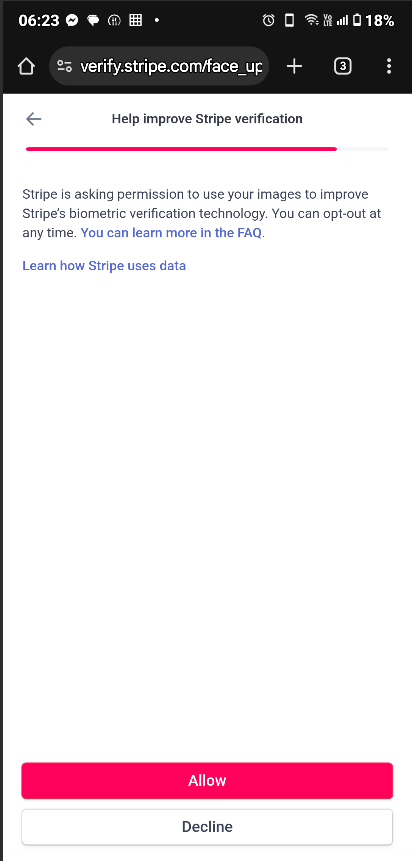
- Allow Camera Access
- When prompted, tap “Continue” to allow temporary camera access on your device. This lets you take photos of your ID and yourself.
- Photograph Your ID
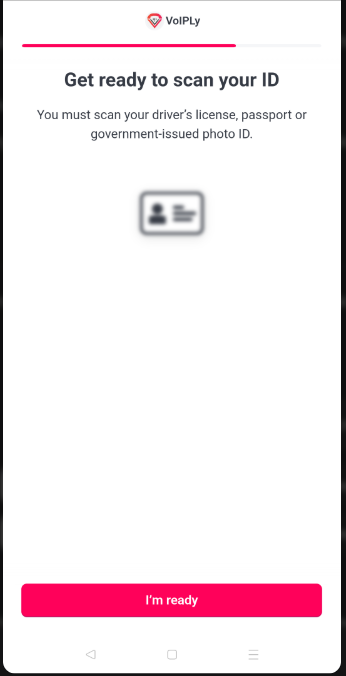
- Hold your driver’s license, passport, or government-issued photo ID steady in good lighting.
- Follow the on-screen instructions to take a clear photo of the front of your ID. Stripe will guide you to capture a readable image.
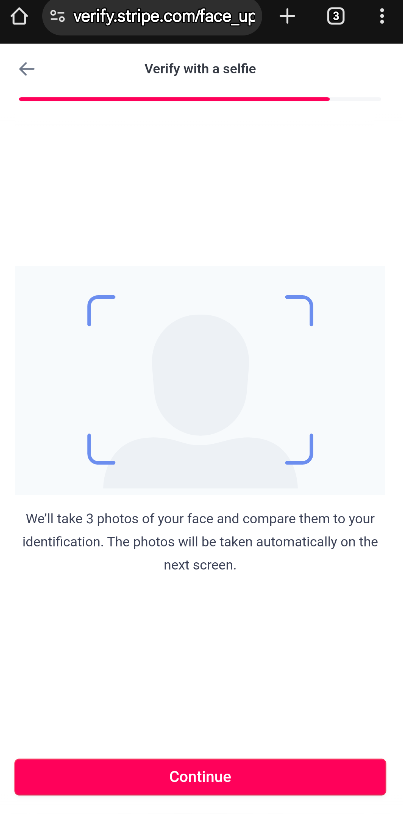
- Take a Selfie
- Next, take a selfie of your face. Keep your face centered in the frame and follow any prompts to adjust your position.
- Once done, submit your photos.
- Wait for Confirmation
- Our team will review your verification and let you know if it's approved. Once it's approved, we'll continue setting up your service. If we need anything else, we'll reach out and let you know what to do next.
What if I don't want to verify?
That's okay. If you'd rather not complete verification, you can cancel your order instead. If you cancel before your service is set up, you'll get a full refund to the card you paid with.
We process your cancellation and refund 24 hours after we receive your request. After that, the time it takes for the refund to show on your statement depends on your bank or card company.
To cancel, follow the steps in How to Cancel Your Voiply Service (/how-to-cancel-your-voiply-service), or call our support team and we'll help you.
Troubleshooting Tips
Page Not Loading?
- Try a different browser (like Chrome, Firefox, or Edge) or clear your browser cache.
Can’t Scan the QR Code?
- Hold your phone steady and adjust the distance until the code scans.
Camera Issues?
- Ensure you’ve granted camera permissions and that your device’s camera is working.
Blurry Photos or Verification Issues?
- Double-check your lighting—avoid shadows or glare on your ID.
- Retake the photos if prompted, ensuring your ID details are legible.
Didn't Get the Email?
Check your spam or junk folder for an email with the subject "Action Required: Verify Your Identity to Secure Your Account." If it's not there, call our support team and we'll send you a new link.
Still Stuck?
- Contact our support team at +1 (844) 843-4175 or chat with us online. For more ways to reach us, see How Do I Contact Voiply’s Support?. We’re here to help!
Thank you for choosing Voiply. We appreciate your cooperation in keeping your account secure!
Did this answer your question?
Glad it helped.