
Starter - Setting up the Voiply Mobile App
This guide will walk you through how to install and log in to the Voiply Mobile App on your Android or iOS device.
Step 1: Install the Voiply Mobile App
Before logging in, you'll need to install the Voiply Mobile App on your device:
- Android: Download on Google Play (opens in a new tab)
- iOS (Apple): Download on the App Store (opens in a new tab)
You can also download directly from your Voiply Starter Portal (opens in a new tab). Log in and navigate to the Voiply Mobile App section, then tap the App Store or Google Play tile.
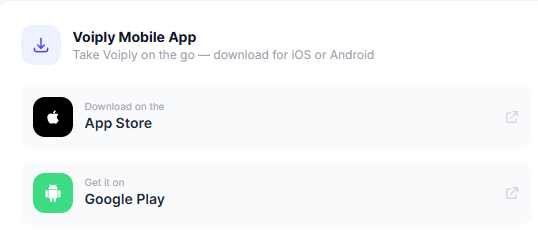
Once installed, proceed to the next step.
Watch this quick video to see how it's done, or follow the steps below.
Step 2: Log In with a Magic Link
Logging in is quick and easy. We'll send a sign-in link right to your email.
- Open the Voiply Mobile App on your phone.
- On the Get Voiply on Mobile screen, enter your Voiply phone number and tap Continue.
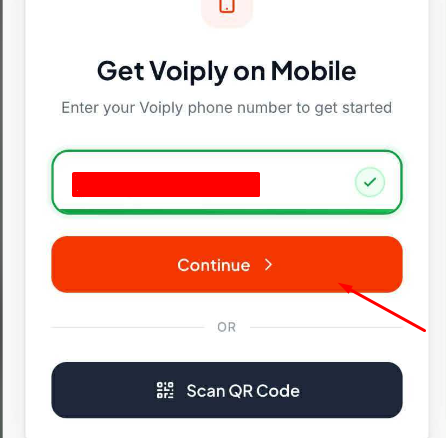
- A sign-in link will be sent to the email address on your Voiply account.
- Open that email and tap Sign in link. You can also copy and paste the link into your browser.
- The link expires in 15 minutes and can only be used once.
- The app will verify your identity. Once confirmed, you will see a "You're all set!" screen.
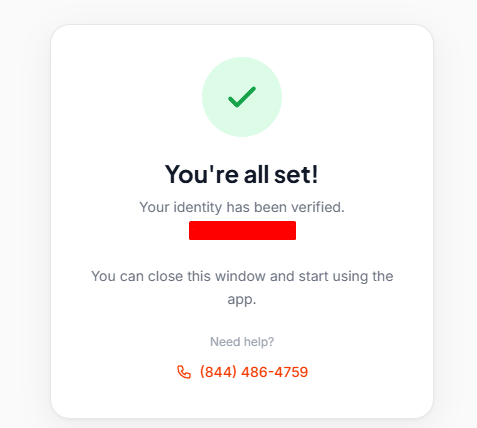
- Close the browser window and return to the app. You are now logged in and ready to go!
Need help? Visit our Support Center or call us at (844) 843-4175.
Did this answer your question?
Glad it helped.